
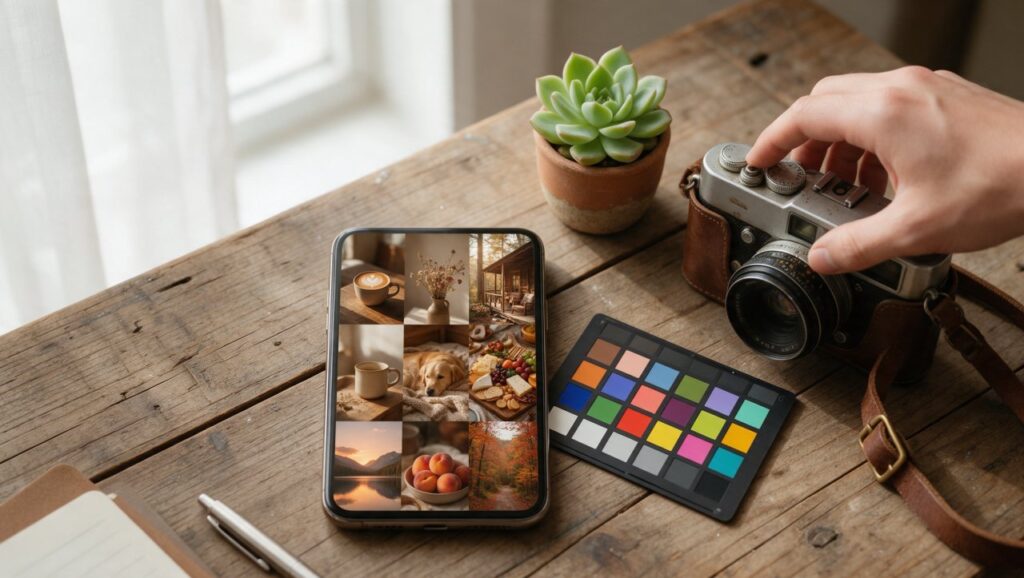
You know the feeling. You post a photo you actually like, then you scroll your own grid a week later and it looks like five different people share your account. One photo is warm and golden, the next is washed out, the next has a blue tint, and the close-up from Tuesday looks nothing like the landscape from Friday. The photos are fine on their own. Together, they feel messy.
A consistent Instagram look isn’t about buying a preset or copying someone else’s exact style. It’s about making small, repeatable editing choices with the apps you already have on your phone. Once you know which decisions matter most, you can give your feed a clear visual thread without spending more than a minute or two per photo.
Decide What Your Look Actually Is
Before you touch a single slider, get specific about the mood you want. “Warm and cozy” is a start, but it’s too vague to guide an edit. Think in terms of brightness, color temperature, contrast, and saturation. A bright and airy look usually means lifted shadows, slightly reduced contrast, and colors that lean cool or pastel. A moody look often means deeper blacks, warmer midtones, and more muted greens and blues.
Try describing your ideal feed in one plain sentence. For example: “Soft daylight, true-to-life colors, and gentle contrast with a slight fade in the blacks.” That sentence becomes your rule. If a photo doesn’t match after editing, you know you pushed it too far.
A common mistake is choosing a look based on someone else’s feed without thinking about your own photos. If you mostly shoot indoors at night, a bright beach preset won’t save your images. It will just make them look forced. Pick a style that fits the photos you actually take, not the photos you wish you took.
Write down three words for your style. Tape them somewhere you’ll see when you edit. It sounds unnecessary, but it helps more than you’d expect when you’re tired and tempted to slap a random filter on a photo just to post it.
Start With the Same Basic Adjustments Every Time
Consistency starts before filters or presets. Most editing apps let you adjust exposure, contrast, highlights, shadows, white balance, and saturation. If you apply these in a similar order and with a similar goal each time, your photos will already feel more related.
Begin with exposure. Get the overall brightness close to your reference photo. If your look is bright, raise exposure slightly. If it’s moody, keep it moderate or bring it down a touch. Next, check highlights and shadows. Lifting shadows can soften a photo, while bringing highlights down can recover detail in bright areas. Many consistent feeds share a similar shadow and highlight balance even when the subjects are completely different.
White balance is where feeds often fall apart. One photo shot in warm kitchen light and another shot under office fluorescents will never match unless you correct the temperature and tint. In apps like Lightroom mobile or Snapseed, use the white balance tool to nudge the photo toward neutral, then add back a small amount of warmth or coolness on purpose. That small, repeated nudge creates a signature.
Saturation and vibrance come last. Vibrance is usually the safer tool because it affects muted colors more than already strong ones. If your style is natural, keep saturation close to zero or slightly negative. If your style is bold, increase vibrance before saturation so skin tones don’t turn orange.
Use One Editing App as Your Home Base
You don’t need a dozen apps. You need one app you know well enough to make the same moves quickly. Lightroom mobile is a solid choice because it has powerful color tools, though saving your own presets usually needs a paid plan. Snapseed is free, approachable, and has precise selective edits, and it can save a set of edits as a Look. VSCO offers a more film-like feel and a simple interface. Any of these can work as your main editor.
The benefit of a home base app is repeatability. When you edit in the same app every time, you learn exactly how its sliders respond. You know that raising shadows by 20 in Lightroom looks different from raising shadows by 20 in Snapseed. That knowledge keeps your results steady.
Avoid switching between five different apps with five different filters. That’s how your feed drifts. If you must use another app for a specific task, like removing an object or adding text, do that step first or last, but keep your core color and exposure edits in one place.
Once you find a set of adjustments you like, save them as a preset or recipe. Many mobile editors let you create a preset from the current settings, although some charge for it. Apply it to your next photo, then make small corrections for that specific image. This is the fastest path to a consistent grid.
Shoot With the Edit in Mind
Editing can fix a lot, but it can’t fix light that wasn’t there. If you want a bright feed, shoot in soft daylight near a window or outside in open shade. If you want a dark and dramatic feed, look for strong shadows and directional light. Your camera roll will start to look more cohesive before you edit anything.
Pay attention to backgrounds. A busy background can fight with your color grade. Plain walls, sky, pavement, fabric, or blurred backgrounds give your edits more room to show. If your feed feels chaotic, simplify what’s behind your subject.
Try to keep the same phone camera settings. Shoot with the same lens, usually the main rear camera, instead of jumping between wide, telephoto, and front camera. Each lens has slightly different color and sharpness. Using one lens consistently reduces the work you have to do later.
Also keep your phone lens clean. Smudges cause haze and lower contrast. A quick wipe with a shirt or cloth before shooting makes a bigger difference than any clarity slider.
Create Your Own Preset Instead of Buying One
Buying a preset pack can be tempting, but it rarely gives you the consistent look you want. Someone else’s preset was made for their lighting, their skin tones, and their camera. On your photos, it might look amazing once and terrible the next five times.
Making your own preset is easier than it sounds. Edit one photo that represents your ideal style. Keep the adjustments modest. Then save those settings as a preset or Look in your app of choice. Apply that preset to a different photo from another day. If it looks off, figure out which slider is causing the problem. Usually it’s white balance or exposure, since those vary most between shots.
Adjust the preset over time. After editing ten photos, you’ll notice patterns. Maybe you always raise warmth by five. Maybe you always reduce contrast by eight. Update your preset to match what you’re actually doing. Your preset should describe your taste, not force it.
A homemade preset also keeps your edits faster. You apply it, make two or three small tweaks, and you’re done. That’s the real secret behind people who post daily with a clean feed. They aren’t spending an hour per photo. They’re applying their own recipe and moving on.
Match White Balance Before Anything Else
White balance causes more inconsistency than any other setting. The same white shirt can look blue, yellow, or pink depending on the light. If your feed has a random mix of color casts, it will never feel cohesive, even if your contrast and saturation are identical.
In your editing app, look for a white balance or color temperature tool. Start by moving the temperature slider until whites look neutral. Then check the tint slider. Many phone photos have a slight green or magenta cast that’s easy to miss until you compare two photos side by side.
After you’ve neutralized the cast, add your signature temperature back. For a warm feed, move the temperature slightly toward yellow. For a cool feed, move it slightly toward blue. Keep that final nudge the same across photos. Even five points of warmth can tie a feed together.
If your app has an eyedropper or auto white balance tool, use it on something white or gray in the photo. A white wall, a piece of paper, or a neutral piece of clothing works well. Then apply your small creative shift after the auto correction.
Keep an Eye on Skin Tones
If you post photos of people, skin tones are your consistency test. A preset can make a landscape look great while turning a face orange or gray. Your followers will notice skin first, even if they can’t explain what’s wrong.
After applying your usual edits, zoom in on any faces. Check that skin looks natural. If it’s too orange, lower the temperature or reduce orange saturation slightly. If it’s too pale or green, adjust tint or lift the warmth a touch. Some apps, including Lightroom mobile, have selective color tools that let you adjust only the oranges and reds without changing the whole photo.
This step matters even for food and flat lays if your hand appears in the frame. A hand with a strange color cast can ruin an otherwise clean photo. Get used to checking skin in every shot, even if it’s just a fingertip holding a coffee cup.
Once you have a skin tone you like, remember it. Compare new photos to an older one you trust. If the skin doesn’t match, fix that before worrying about the background or the overall vibe.
Use the Same Crop and Framing Habits
Color isn’t the only thing that makes a feed feel consistent. The way you crop and frame your photos matters just as much. If every photo has a different aspect ratio and different amount of empty space, your grid will feel scattered even with perfect color.
Pick one aspect ratio and stick with it for most posts. Square used to be the Instagram standard, but vertical 4:5 photos take up more screen space and feel more modern. Either can work, and it is worth checking how your profile grid crops each ratio, since Instagram has changed that over time. The key is choosing one and using it almost every time.
Also think about your subject placement. Do you center everything? Do you use the rule of thirds? Do you leave negative space on the left or right? These choices become part of your visual signature. A centered subject with lots of clean space around it reads very differently from a tight crop on a face or object.
If you’re not sure what your framing habit is, look at your last nine posts. You’ll probably see a pattern, even if it’s accidental. Decide whether that pattern is one you want to keep. Then make it intentional.
Plan Your Grid in Small Batches
Editing one photo at a time makes it easy to drift. Editing three or five photos together lets you compare them side by side and catch differences before you post. This is one of the most practical habits for a consistent feed.
Pick a few photos from your camera roll that you plan to post in the next week. Edit the first one until you like it. Then edit the second one while glancing back at the first. The goal isn’t to make them identical. It’s to make sure they feel like siblings, not strangers.
There are apps designed for planning your Instagram grid. They let you arrange upcoming posts and preview how they’ll look next to each other. While you don’t need one to be consistent, a simple grid preview can help you avoid posting two very dark photos back to back or two busy photos next to each other.
Batch editing also saves time. You stay in the same mental mode, use the same preset, and make similar decisions. By the time you post, your feed already has a rhythm.
Watch Out for Over-Editing
When you’re trying to create a consistent look, there’s a strong pull to push every slider further. More warmth, more fade, more contrast, more saturation. But over-editing is the fastest way to make a feed look cheap and dated.
If you catch yourself raising clarity or structure on every photo, stop. Heavy clarity can make skin look rough and edges look unnatural. If your shadows are so lifted that the photo looks washed out and gray, pull them back. If the sky is neon blue and the grass is neon green, you’ve gone too far.
A good test is to look at your edited photo next to the original. If the edit feels like a completely different world, it might be too much. A consistent feed doesn’t need extreme changes. It needs small, repeated choices.
Another test is to wait ten minutes and look again. Fresh eyes catch oversaturation and weird color casts quickly. If something feels off, reduce the strongest adjustment by a few points. Most of the time, the smaller edit looks better on a phone screen.
Quick Consistency Checklist
Use this checklist before you post. It takes less than a minute and will keep your feed from drifting.
- Did I use the same editing app I always use?
- Did I apply my saved preset or repeat my usual adjustment order?
- Is the white balance corrected, then shifted slightly toward my signature tone?
- Do skin tones look natural?
- Is the exposure close to my other recent posts?
- Are highlights and shadows in a similar range to my last few photos?
- Did I crop to the same aspect ratio and keep similar subject placement?
- Does the photo look like it belongs next to the previous post in my grid?
- Did I avoid pushing saturation, clarity, or fade too far?
- Would I recognize this as my photo without seeing the username?
If you can answer yes to most of those, you’re good. Your feed will start to feel like a collection instead of a pile. And the best part is that the process gets faster every week. You’ll stop guessing and start knowing what your photos need. That’s when a consistent look stops being work and just becomes the way you edit.